
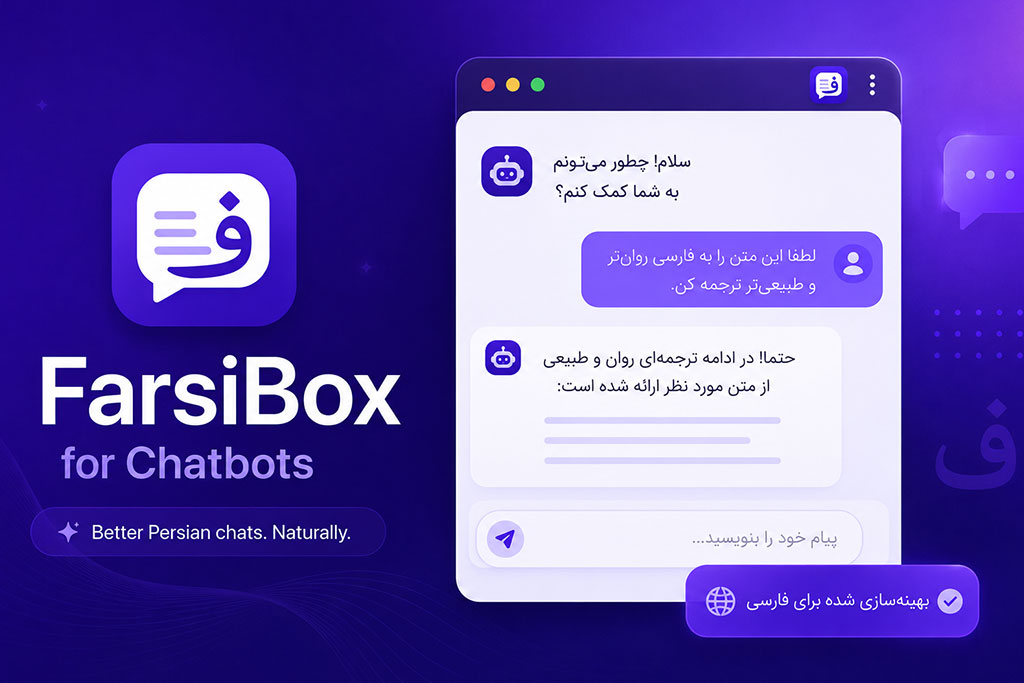
Fix Persian Text in AI Chatbots
Use FarsiBox to correct Persian text direction, spacing, and display issues in ChatGPT and other AI chatbots.
FarsiBox for Chatbots: Better Persian Writing and Reading in AI Chatbots
FarsiBox for Chatbots is a free browser extension that improves Persian writing, reading, and RTL text display in popular AI chatbots.
It helps Persian-speaking users work more comfortably with ChatGPT, Google Gemini, Claude, Microsoft Copilot, DeepSeek, Perplexity, and other AI tools.
FarsiBox fixes common problems such as incorrect text direction, difficult-to-read Persian and English sentences, unsuitable fonts, broken RTL formatting, and incorrectly displayed code blocks.
Fix Persian Text in AI Chatbots
Persian text is not always displayed correctly in AI chatbot websites. Sentences may appear in the wrong direction, Persian and English words may become difficult to follow, and technical content may be affected by RTL formatting.
FarsiBox works as a Persian text converter and RTL formatting tool directly inside your browser.
It improves the visual presentation of Persian conversations without changing the meaning of your messages or AI-generated responses.
Use FarsiBox to fix Persian text direction, improve readability, and protect code blocks in AI chatbots.
What Is FarsiBox for Chatbots?
FarsiBox for Chatbots is a lightweight browser extension designed specifically for users who communicate with AI tools in Persian.
It automatically recognizes Persian, English, and mixed Persian-English content and applies the appropriate text direction and formatting.
The extension can improve:
- Persian text alignment
- RTL text direction
- Mixed Persian-English sentences
- Persian font readability
- Persian and English number display
- Arabic and Persian character consistency
- Code block formatting
- Technical content readability
All processing happens locally inside your browser.
Why Persian Text Looks Incorrect in AI Chatbots
Many AI chatbot interfaces are primarily designed for left-to-right languages such as English.
As a result, Persian users may experience problems such as:
- Persian text appearing left-to-right
- Sentences with mixed Persian and English words becoming difficult to read
- Numbers appearing in an inconsistent format
- Arabic Yeh and Kaf being used instead of Persian ی and ک
- Persian fonts appearing too small or unclear
- Code blocks receiving incorrect RTL formatting
- Buttons and code tools breaking around technical content
FarsiBox helps solve these issues by applying smarter Persian text formatting inside supported AI chatbot websites.
Main Benefits of FarsiBox
Write Persian More Naturally
FarsiBox improves the direction and alignment of Persian text while you type in AI chatbot input fields.
You can write Persian questions, prompts, instructions, and messages more comfortably without manually adjusting the text direction.
Read Persian AI Responses More Easily
AI-generated Persian responses become clearer and easier to read with proper RTL alignment and Persian-friendly fonts.
This is especially useful for long answers, articles, educational content, and detailed explanations.
Improve Mixed Persian-English Text
Sentences containing Persian and English words can become confusing when text direction is handled incorrectly.
FarsiBox automatically detects mixed-language content and improves its visual structure.
Protect Code Blocks
Technical users often include HTML, CSS, JavaScript, PHP, terminal commands, and other code inside Persian conversations.
FarsiBox keeps code blocks left-to-right and prevents RTL formatting from changing or damaging technical content.
Keep Your Conversations Private
FarsiBox does not send your messages or AI conversations to an external server.
Text formatting and cleanup happen locally inside the browser page.
Key Features
FarsiBox for Chatbots includes the following features:
- Smart RTL formatting for Persian text
- Automatic detection of Persian, English, and mixed-language content
- Input direction modes: Auto Detect, Always RTL, and Off
- Message direction settings for Persian AI responses
- Local Persian fonts including Vazirmatn, Shabnam, and Sahel
- Optional correction of Arabic Yeh and Kaf to Persian ی and ک
- Optional conversion between English and Persian numbers
- Text cleanup for existing messages and input content
- Code protection for
pre,code,kbd, terminal text, and technical content - Left-to-right display for code blocks
- Protection for code-related buttons and icons
- Extension settings through the popup and settings page
- Reset option for restoring default settings
- Local processing without external servers
- No analytics, advertising, or tracking
Persian Text Converter for AI Chatbots
FarsiBox can also work as a Persian text converter for common formatting issues.
Depending on your selected settings, it can:
- Correct Arabic characters in Persian text
- Convert Arabic ي to Persian ی
- Convert Arabic ك to Persian ک
- Convert English numbers to Persian numbers
- Convert Persian numbers to English numbers
- Clean up existing Persian text
- Apply the correct direction to Persian messages
- Improve the appearance of mixed-language sentences
These features are useful for writers, students, developers, translators, content creators, and anyone who regularly communicates with AI in Persian.
Supported AI Chatbot Websites
FarsiBox currently supports popular AI chatbot platforms, including:
- ChatGPT
- Google Gemini
- Claude
- Microsoft Copilot
- Bing Chat and Copilot
- DeepSeek
- Perplexity
Support may vary slightly depending on changes made by each chatbot website.
Use FarsiBox with ChatGPT
FarsiBox can help fix Persian text in ChatGPT by improving the direction of Persian prompts and responses.
It is useful when:
- Writing long Persian prompts
- Reading Persian ChatGPT responses
- Combining Persian instructions with English keywords
- Working with programming code
- Creating Persian content
- Translating between Persian and English
- Reviewing technical explanations
The extension helps make ChatGPT more comfortable for Persian-speaking users without changing the actual content of the conversation.
Use FarsiBox with Gemini, Claude, and Copilot
The same Persian text direction problems can also appear in Google Gemini, Claude, Microsoft Copilot, and other AI chatbots.
FarsiBox applies similar RTL improvements across supported websites so users can maintain a more consistent Persian writing and reading experience.
It also includes protections designed to prevent code blocks, action buttons, and technical interface elements from receiving incorrect RTL styles.
Privacy-Friendly by Design
FarsiBox for Chatbots is designed to work without collecting your conversations.
The extension:
- Does not collect your chat content
- Does not send your text to external servers
- Does not use advertising
- Does not use analytics
- Does not include trackers
- Does not load remote code
- Does not sell or share user data
Text processing happens locally on supported chatbot pages only to apply direction, font, cleanup, number conversion, and code protection features.
The extension stores only your selected settings, such as:
- Extension enabled or disabled status
- Selected text direction mode
- Selected Persian font
- Number conversion preference
- Arabic character correction preference
- Code protection status
Who Should Use FarsiBox?
FarsiBox is suitable for:
- Persian-speaking ChatGPT users
- Students using AI for research and learning
- Writers creating Persian content
- Developers working with Persian explanations and code
- Translators working with Persian and English
- Content creators using AI writing tools
- Users who frequently write mixed Persian-English text
- Anyone who wants better Persian RTL support in AI chatbots
Free, Lightweight, and Easy to Use
FarsiBox is free and focused on solving practical Persian text problems in AI chatbot websites.
After installing the extension, you can manage its features from the browser popup or settings page.
You can select your preferred Persian font, choose a direction mode, enable text cleanup options, control number conversion, and protect code blocks.
No registration or external account is required.
Add FarsiBox to Your Browser
Improve Persian writing and reading in ChatGPT, Gemini, Claude, Copilot, DeepSeek, Perplexity, and other supported AI chatbots.
Get better RTL text direction, clearer Persian fonts, safer code blocks, and more readable mixed Persian-English conversations.
Frequently Asked Questions
What is FarsiBox for Chatbots?
FarsiBox for Chatbots is a free browser extension that improves Persian text direction, fonts, character formatting, number display, and code blocks inside AI chatbot websites.
Does FarsiBox fix Persian text in ChatGPT?
Yes. FarsiBox can improve Persian writing and reading in ChatGPT by applying smarter RTL formatting to Persian prompts and AI responses.
Is FarsiBox a Persian text converter?
FarsiBox includes Persian text conversion and cleanup features, such as correcting Arabic Yeh and Kaf, converting Persian and English numbers, and improving text direction.
Does FarsiBox support mixed Persian and English text?
Yes. It automatically detects Persian, English, and mixed-language content and applies more suitable formatting.
Does FarsiBox change AI responses?
FarsiBox changes only the visual formatting of text inside the browser. It does not change the original meaning of your messages or AI-generated responses.
Does FarsiBox protect programming code?
Yes. The extension keeps code blocks, terminal commands, and technical content left-to-right to prevent incorrect RTL formatting.
Does FarsiBox collect chat messages?
No. FarsiBox does not collect or send your chat content to external servers. Text processing happens locally inside your browser.
Is FarsiBox free?
Yes. FarsiBox for Chatbots is free to install and use.
FarsiBox for Chatbots: نوشتن و خواندن بهتر فارسی در چتباتهای هوش مصنوعی
FarsiBox for Chatbots یک افزونه رایگان مرورگر است که نوشتن، خواندن و نمایش راستبهچپ متن فارسی را در چتباتهای هوش مصنوعی بهبود میدهد.
این افزونه به کاربران فارسیزبان کمک میکند تا در ChatGPT، Google Gemini، Claude، Microsoft Copilot، DeepSeek، Perplexity و دیگر ابزارهای هوش مصنوعی، راحتتر به زبان فارسی بنویسند و پاسخها را بهتر بخوانند.
FarsiBox مشکلات رایجی مانند جهت نادرست متن، ناخوانا بودن جملههای ترکیبی فارسی و انگلیسی، فونت نامناسب، بههمریختگی نمایش راستبهچپ و نمایش نادرست کدها را برطرف میکند.
اصلاح متن فارسی در چتباتهای هوش مصنوعی
متن فارسی همیشه بهدرستی در سایتهای چتبات هوش مصنوعی نمایش داده نمیشود. ممکن است جملهها در جهت اشتباه قرار بگیرند، ترکیب واژههای فارسی و انگلیسی ناخوانا شود یا قالببندی راستبهچپ روی محتوای فنی و کدها تأثیر نامناسبی بگذارد.
FarsiBox مستقیماً داخل مرورگر شما بهعنوان یک ابزار اصلاح و تبدیل متن فارسی و تنظیم هوشمند جهت RTL عمل میکند.
این افزونه ظاهر مکالمات فارسی را بهبود میدهد، بدون آنکه مفهوم پیامهای شما یا پاسخهای تولیدشده توسط هوش مصنوعی را تغییر دهد.
با FarsiBox جهت متن فارسی را اصلاح کنید، خوانایی مکالمات را افزایش دهید و از نمایش صحیح کدها در چتباتهای هوش مصنوعی مطمئن شوید.
FarsiBox for Chatbots چیست؟
FarsiBox for Chatbots یک افزونه سبک مرورگر است که بهطور ویژه برای کاربرانی طراحی شده است که در ابزارهای هوش مصنوعی به زبان فارسی گفتگو میکنند.
این افزونه محتوای فارسی، انگلیسی و ترکیبی فارسی و انگلیسی را بهصورت خودکار تشخیص میدهد و جهت و قالببندی مناسب را روی آن اعمال میکند.
FarsiBox میتواند موارد زیر را بهبود دهد:
- تراز و چینش متن فارسی
- جهت راستبهچپ یا RTL
- جملههای ترکیبی فارسی و انگلیسی
- خوانایی متن با فونتهای فارسی
- نمایش اعداد فارسی و انگلیسی
- یکسانسازی حروف فارسی و عربی
- قالببندی بلوکهای کد
- خوانایی محتوای فنی
تمام پردازشها بهصورت محلی و داخل مرورگر شما انجام میشوند.
چرا متن فارسی در چتباتهای هوش مصنوعی بههم میریزد؟
رابط کاربری بسیاری از چتباتهای هوش مصنوعی در درجه اول برای زبانهای چپبهراست مانند انگلیسی طراحی شده است.
به همین دلیل، کاربران فارسیزبان ممکن است با مشکلات زیر روبهرو شوند:
- نمایش متن فارسی بهصورت چپبهراست
- ناخوانا شدن جملههای ترکیبی فارسی و انگلیسی
- نمایش ناهماهنگ اعداد فارسی و انگلیسی
- استفاده از ی و ک عربی بهجای حروف استاندارد فارسی
- نمایش نامناسب یا ناخوانای فونت فارسی
- اعمال اشتباه جهت راستبهچپ روی بلوکهای کد
- بههمریختگی دکمهها و ابزارهای مربوط به کد
FarsiBox با اعمال قالببندی هوشمند متن فارسی در سایتهای پشتیبانیشده، به برطرف کردن این مشکلات کمک میکند.
مزایای اصلی FarsiBox
نوشتن راحتتر به زبان فارسی
FarsiBox هنگام تایپ در کادر پیام چتباتهای هوش مصنوعی، جهت و چینش متن فارسی را بهبود میدهد.
با استفاده از آن میتوانید پرسشها، پرامپتها، دستورها و پیامهای فارسی را بدون نیاز به تنظیم دستی جهت متن، راحتتر بنویسید.
خواندن آسانتر پاسخهای فارسی هوش مصنوعی
پاسخهای فارسی تولیدشده توسط هوش مصنوعی با چینش صحیح راستبهچپ و فونتهای مناسب فارسی، واضحتر و خواناتر نمایش داده میشوند.
این قابلیت بهخصوص برای پاسخهای طولانی، مقالهها، محتوای آموزشی و توضیحات کامل و تخصصی مفید است.
نمایش بهتر متنهای ترکیبی فارسی و انگلیسی
وقتی جهت متن بهدرستی مدیریت نشود، جملههایی که شامل کلمات فارسی و انگلیسی هستند ممکن است نامرتب و دشوار برای خواندن باشند.
FarsiBox محتوای ترکیبی را بهصورت خودکار تشخیص میدهد و ساختار ظاهری آن را بهبود میبخشد.
محافظت از بلوکهای کد
کاربران فنی و توسعهدهندگان معمولاً در مکالمات فارسی خود از کدهای HTML، CSS، JavaScript، PHP، دستورات ترمینال و دیگر محتوای فنی استفاده میکنند.
FarsiBox بلوکهای کد را چپبهراست نگه میدارد و از تغییر یا بههمریختگی آنها بر اثر قالببندی RTL جلوگیری میکند.
حفظ حریم خصوصی مکالمات
FarsiBox پیامها و مکالمات شما با هوش مصنوعی را به هیچ سرور خارجی ارسال نمیکند.
اصلاح جهت، فونت و پاکسازی متن بهصورت محلی در همان صفحه مرورگر انجام میشود.
ویژگیهای اصلی FarsiBox
افزونه FarsiBox for Chatbots امکانات زیر را در اختیار شما قرار میدهد:
- قالببندی هوشمند راستبهچپ برای متن فارسی
- تشخیص خودکار متن فارسی، انگلیسی و ترکیبی
- حالتهای جهت ورودی شامل تشخیص خودکار، همیشه راستبهچپ و غیرفعال
- تنظیم جهت پیامها برای خواندن بهتر پاسخهای فارسی
- فونتهای فارسی محلی شامل Vazirmatn، Shabnam و Sahel
- اصلاح اختیاری ی و ک عربی و تبدیل آنها به ی و ک فارسی
- تبدیل اختیاری اعداد انگلیسی و فارسی به یکدیگر
- پاکسازی و اصلاح متنهای موجود، نهفقط متن هنگام تایپ
- محافظت از عناصر
pre،code،kbd، دستورات ترمینال و محتوای فنی - نمایش چپبهراست بلوکهای کد
- محافظت از دکمهها و آیکنهای مرتبط با کد
- مدیریت تنظیمات از طریق پنجره افزونه و صفحه تنظیمات
- دکمه بازنشانی برای بازگرداندن تنظیمات پیشفرض
- پردازش محلی بدون استفاده از سرور خارجی
- بدون تبلیغات، ابزارهای آمارگیری یا ردیابی
تبدیل و اصلاح متن فارسی در چتباتهای هوش مصنوعی
FarsiBox میتواند برای اصلاح مشکلات رایج متن فارسی نیز مورد استفاده قرار بگیرد.
بسته به تنظیماتی که انتخاب میکنید، این افزونه میتواند:
- حروف عربی موجود در متن فارسی را اصلاح کند
- حرف ي عربی را به ی فارسی تبدیل کند
- حرف ك عربی را به ک فارسی تبدیل کند
- اعداد انگلیسی را به اعداد فارسی تبدیل کند
- اعداد فارسی را به اعداد انگلیسی تبدیل کند
- متن فارسی موجود را پاکسازی و اصلاح کند
- جهت صحیح را روی پیامهای فارسی اعمال کند
- ظاهر جملههای ترکیبی فارسی و انگلیسی را بهبود دهد
این قابلیتها برای نویسندگان، دانشجویان، برنامهنویسان، مترجمان، تولیدکنندگان محتوا و تمام افرادی که بهطور مرتب به زبان فارسی با هوش مصنوعی گفتگو میکنند، مفید هستند.
چتباتهای هوش مصنوعی پشتیبانیشده
FarsiBox در حال حاضر از چتباتها و ابزارهای محبوب هوش مصنوعی زیر پشتیبانی میکند:
- ChatGPT
- Google Gemini
- Claude
- Microsoft Copilot
- Bing Chat و Copilot
- DeepSeek
- Perplexity
ممکن است نحوه عملکرد برخی قابلیتها با توجه به تغییرات ایجادشده در هر یک از این وبسایتها کمی متفاوت باشد.
استفاده از FarsiBox در ChatGPT
FarsiBox با اصلاح جهت پرامپتها و پاسخهای فارسی، به نمایش بهتر متن فارسی در ChatGPT کمک میکند.
این افزونه در موارد زیر کاربرد دارد:
- نوشتن پرامپتهای طولانی فارسی
- خواندن پاسخهای فارسی ChatGPT
- ترکیب دستورهای فارسی با کلمات و اصطلاحات انگلیسی
- کار با کدهای برنامهنویسی
- تولید محتوای فارسی
- ترجمه میان زبانهای فارسی و انگلیسی
- خواندن توضیحات فنی و تخصصی
این افزونه بدون تغییر محتوای اصلی مکالمه، استفاده از ChatGPT را برای کاربران فارسیزبان آسانتر و راحتتر میکند.
استفاده از FarsiBox در Gemini، Claude و Copilot
مشکلات مربوط به جهت و نمایش متن فارسی ممکن است در Google Gemini، Claude، Microsoft Copilot و سایر چتباتهای هوش مصنوعی نیز دیده شوند.
FarsiBox بهبودهای مشابهی را در سایتهای پشتیبانیشده اعمال میکند تا تجربه نوشتن و خواندن متن فارسی در ابزارهای مختلف، هماهنگتر و قابلاعتمادتر باشد.
این افزونه همچنین از اعمال اشتباه استایل راستبهچپ روی بلوکهای کد، دکمههای عملیاتی و عناصر فنی رابط کاربری جلوگیری میکند.
طراحیشده با تمرکز بر حریم خصوصی
FarsiBox for Chatbots بدون جمعآوری مکالمات کاربران طراحی شده است.
این افزونه:
- محتوای مکالمات شما را جمعآوری نمیکند
- متنهای شما را به سرور خارجی ارسال نمیکند
- از تبلیغات استفاده نمیکند
- از ابزارهای آمارگیری استفاده نمیکند
- شامل ابزارهای ردیابی نیست
- کدهای خارجی را از راه دور بارگذاری نمیکند
- اطلاعات کاربران را نمیفروشد یا به اشتراک نمیگذارد
پردازش متن فقط بهصورت محلی در صفحات چتباتهای پشتیبانیشده انجام میشود تا جهت، فونت، پاکسازی متن، تبدیل اعداد و محافظت از کدها اعمال شود.
تنها اطلاعاتی که افزونه ذخیره میکند، تنظیمات انتخابشده توسط خود شما است، از جمله:
- فعال یا غیرفعال بودن افزونه
- حالت انتخابشده برای جهت متن
- فونت فارسی انتخابشده
- تنظیم تبدیل اعداد
- تنظیم اصلاح حروف عربی
- وضعیت محافظت از کدها
FarsiBox برای چه کسانی مناسب است؟
FarsiBox برای افراد زیر مناسب است:
- کاربران فارسیزبان ChatGPT و دیگر ابزارهای هوش مصنوعی
- دانشجویانی که برای تحقیق و یادگیری از هوش مصنوعی استفاده میکنند
- نویسندگان و تولیدکنندگان محتوای فارسی
- برنامهنویسانی که توضیحات فارسی را همراه با کد مینویسند
- مترجمانی که با متن فارسی و انگلیسی کار میکنند
- کاربرانی که مرتباً متن ترکیبی فارسی و انگلیسی مینویسند
- افرادی که به پشتیبانی بهتر از RTL در چتباتهای هوش مصنوعی نیاز دارند
رایگان، سبک و آسان برای استفاده
FarsiBox یک افزونه رایگان و سبک است که روی حل مشکلات واقعی نمایش متن فارسی در چتباتهای هوش مصنوعی تمرکز دارد.
پس از نصب افزونه، میتوانید امکانات آن را از طریق پنجره افزونه یا صفحه تنظیمات مدیریت کنید.
میتوانید فونت فارسی موردنظر خود را انتخاب کنید، حالت جهت متن را تغییر دهید، قابلیتهای پاکسازی متن و تبدیل اعداد را فعال کنید و از نمایش صحیح بلوکهای کد مطمئن شوید.
برای استفاده از FarsiBox نیازی به ثبتنام یا ساخت حساب کاربری نیست.
FarsiBox را به مرورگر خود اضافه کنید
نوشتن و خواندن فارسی را در ChatGPT، Gemini، Claude، Copilot، DeepSeek، Perplexity و دیگر چتباتهای پشتیبانیشده بهبود دهید.
با FarsiBox از جهت صحیح متن فارسی، فونتهای خواناتر، بلوکهای کد ایمنتر و جملههای ترکیبی فارسی و انگلیسی منظمتر بهرهمند شوید.
سؤالات متداول
FarsiBox for Chatbots چیست؟
FarsiBox for Chatbots یک افزونه رایگان مرورگر است که جهت متن فارسی، فونتها، حروف فارسی، نمایش اعداد و بلوکهای کد را در سایتهای چتبات هوش مصنوعی بهبود میدهد.
آیا FarsiBox متن فارسی را در ChatGPT اصلاح میکند؟
بله. FarsiBox با اعمال قالببندی هوشمند راستبهچپ روی پرامپتها و پاسخهای فارسی، نوشتن و خواندن متن فارسی در ChatGPT را بهبود میدهد.
آیا FarsiBox یک ابزار تبدیل متن فارسی است؟
بله. FarsiBox امکاناتی برای اصلاح و پاکسازی متن فارسی دارد؛ از جمله اصلاح ی و ک عربی، تبدیل اعداد فارسی و انگلیسی و تنظیم جهت صحیح متن.
آیا FarsiBox از متنهای ترکیبی فارسی و انگلیسی پشتیبانی میکند؟
بله. این افزونه متن فارسی، انگلیسی و ترکیبی را بهصورت خودکار تشخیص میدهد و قالببندی مناسبتری روی آن اعمال میکند.
آیا FarsiBox محتوای پاسخهای هوش مصنوعی را تغییر میدهد؟
خیر. FarsiBox فقط نحوه نمایش و قالببندی متن را در مرورگر تغییر میدهد و مفهوم اصلی پیامهای شما یا پاسخهای تولیدشده توسط هوش مصنوعی را تغییر نمیدهد.
آیا FarsiBox از کدهای برنامهنویسی محافظت میکند؟
بله. این افزونه بلوکهای کد، دستورات ترمینال و محتوای فنی را چپبهراست نگه میدارد تا قالببندی RTL باعث بههمریختگی آنها نشود.
آیا FarsiBox پیامهای کاربران را جمعآوری میکند؟
خیر. FarsiBox محتوای مکالمات شما را جمعآوری یا به سرورهای خارجی ارسال نمیکند. پردازش متن بهصورت محلی داخل مرورگر انجام میشود.
آیا FarsiBox رایگان است؟
بله. نصب و استفاده از FarsiBox for Chatbots کاملاً رایگان است.