
Table of Contents
Overview
Learn how to customize websites, pick colors, manage saved styles, activate Pro, import/export settings, and troubleshoot common browser extension issues.
What is styleBox?
styleBox is a no-code browser extension for changing the appearance of websites directly in your browser. It helps you personalize colors, typography, spacing, layout, dark mode, and selected page elements without editing the original website.
Best for readability
Improve text size, line height, colors, spacing, page width, and dark mode on sites you use often.
Best for designers
Pick exact colors from pages, copy HEX/RGB/HSL values, and save color palettes in Pro.
Best for cleanup
Remove distracting elements and style selected text, images, boxes, and sections.
Quick Start
Customize your first website
- Visit the website you want to customize.
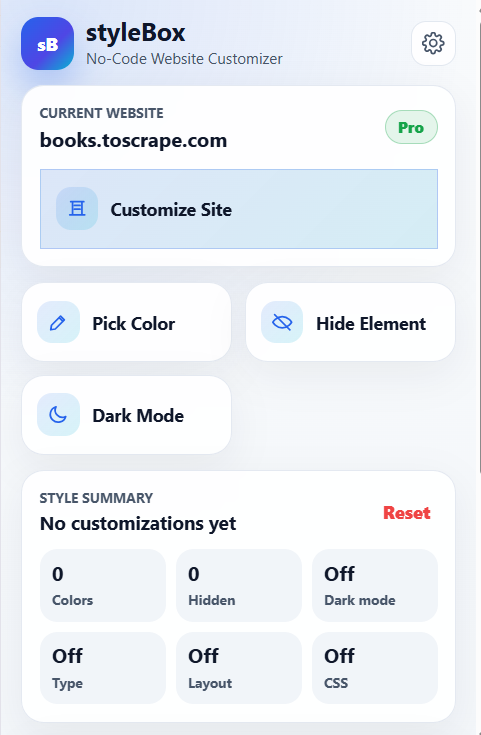
- Click the styleBox toolbar icon.
- Choose Customize Site
- Use the floating popup to change colors, typography, layout, dark mode, or elements.
- Refresh the page to confirm the saved style applies automatically.
Free mode limits
- Limited number of customized websites
- Basic colors and typography
- Simple dark mode
- Limited persistent deleted elements
Pro mode unlocks
- Advanced layout and typography tools
- Saved colors, palettes, and library features
- Import/export backups
- Advanced element styling and custom CSS
Color Picker
Pick exact colors from any page
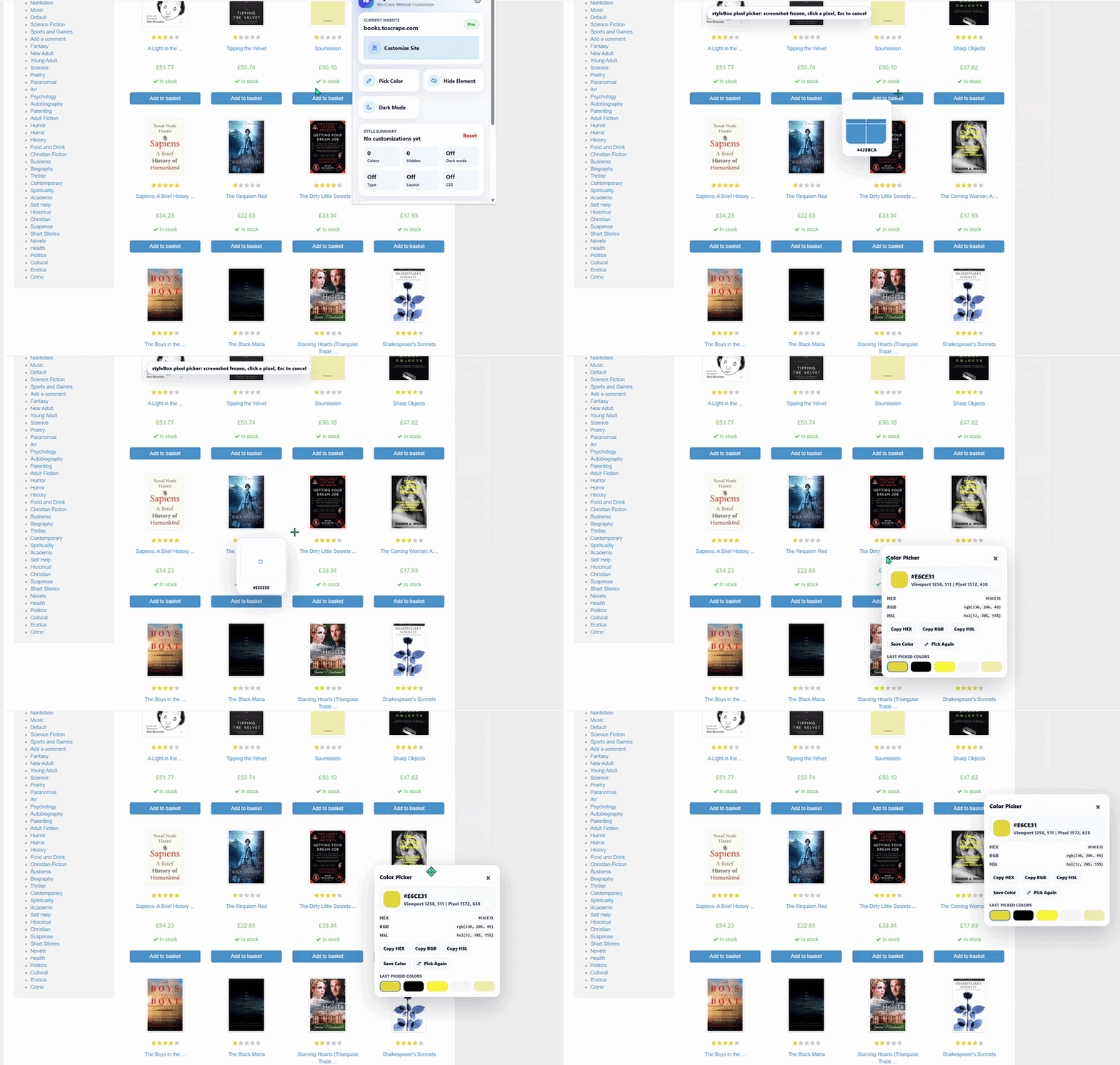
The color picker captures the visible page as a screenshot overlay, then lets you sample the exact rendered pixel under your cursor.
- Open a supported website and click the styleBox icon.
- Choose Pick Color
- Move the cursor over the page and use the magnified preview.
- Click a pixel to see HEX, RGB, HSL, and location details.
- Copy the value or save it to your Pro color library.
Elements
Add Your Heading Text Here
The element picker helps you target a page element visually. styleBox shows context-aware controls based on whether the selected element is text, media, or a box/section.
Text elements
Control text color, background, font size, font weight, line height, and alignment.
Images and media
Adjust image radius, opacity, and object-fit settings where available.
Boxes and sections
Control background, border color, border width, radius, padding, and shadow.
Settings Dashboard
Manage websites, colors, appearance, and account status
Open Settings from the popup to manage saved domains, color library items, import/export tools, license activation, UI appearance, and product links.
| Section | Purpose |
|---|---|
| Dashboard | View website count, license status, and recent color count. |
| My Websites | Enable, disable, search, edit, or delete saved website customizations. |
| Color Library | Review recent colors, save Pro colors, and create saved palettes. |
| Import / Export | Backup and restore settings, websites, profiles, and color library data. |
| License | Activate, check, or deactivate a styleBox Pro license. |
Troubleshooting
Common issues and fixes
| Issue | What to try |
|---|---|
| The popup says the page is unsupported | Open a normal http:// or https:// website. Browser internal pages cannot be customized. |
| Styles do not appear after refresh | Confirm the website is enabled in styleBox, then check whether the saved scope is Entire site or This page. |
| A site overrides my color or layout | Try a more specific element-level style or use custom CSS in Pro for that website. |
| The color picker cannot start | Refresh the page, make sure it is a normal website, then start Pick Color again from the popup. |
| License activation fails | Check the key, internet connection, activation limit, and whether the license is active for styleBox Pro. |
Frequently asked questions
Can styleBox customize every website?
It works on normal websites, but browser pages, extension pages, Chrome Web Store pages, and some highly restricted pages cannot be customized.
Are changes visible to other people?
No. styleBox customizations are local to your browser and do not change the original website for other users.
Can I undo a customization?
Yes. Use reset buttons in the customize popup, restore deleted elements, disable the website, or delete the website from settings.
Does Pro require a separate account?
Pro uses a license key. Activate the key in Settings to unlock Pro features on the current browser installation.
Ready to customize the web?
Start free, then upgrade when you want the full styleBox toolkit.
Compare Free and Pro features, install the extension, and choose the plan that fits your workflow.