
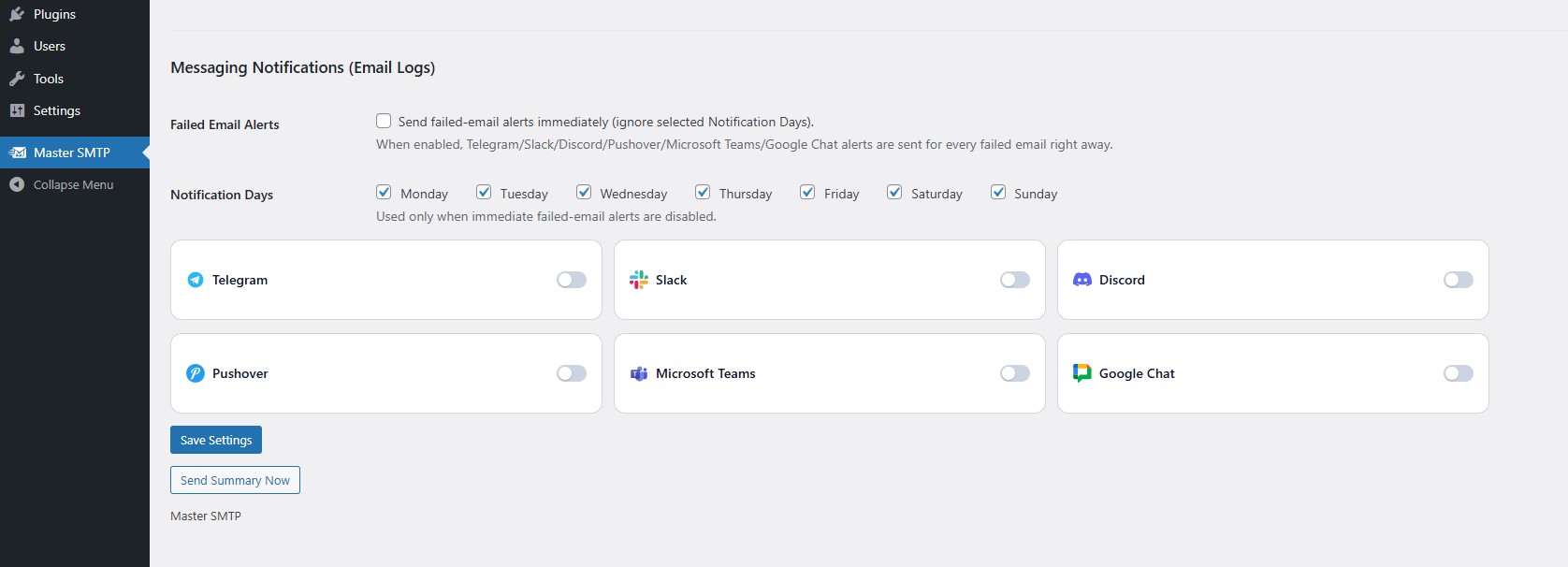
Messaging Notifications is a Pro feature in DeliveryKit SMTP. It lets you send email log alerts to supported messaging channels such as Telegram, Slack, Discord, Pushover, Microsoft Teams, and Google Chat.
If you want to use DeliveryKit SMTP Messaging Notifications feature, you need DeliveryKit SMTP Pro. You can buy it here:
Failed Email Alerts
Enable Failed Email Alerts if you want DeliveryKit SMTP to send an alert immediately whenever an email fails. When this option is enabled, alerts are sent right away and the selected Notification Days are ignored.Notification Days
Select the days when messaging notifications are allowed to be sent. These days are used only when Failed Email Alerts is disabled. In that case, DeliveryKit SMTP will follow the selected days for sending notifications.Messaging Channels
DeliveryKit SMTP supports multiple messaging channels for email log alerts. You can enable or disable each one using its toggle.Available channels:- Telegram
- Slack
- Discord
- Pushover
- Microsoft Teams
- Google Chat